
Printing Guide
Print Your Wedding Stationery With Confidence
All Papery Lane templates are designed to be easy to edit, download and print. Whether you choose to print at home or use a professional printing service, this guide will help you achieve the best results.
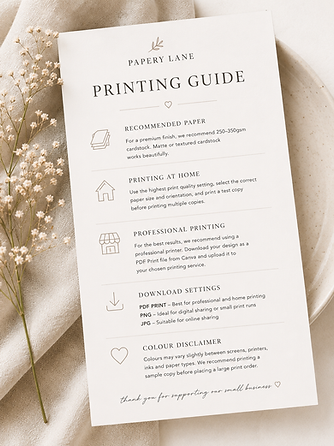
Recommended Paper
For a premium finish, we recommend:
• 250–350gsm cardstock for invitations and RSVP cards
• Matte cardstock for a classic, elegant look
• Textured cardstock for a luxury feel
• Smooth white or ivory cardstock for crisp printing
Printing At Home
If printing at home:
• Use the highest print quality setting available
• Select the correct paper size and orientation
• Print a test copy before printing multiple copies
• Ensure your printer is suitable for thicker cardstock
Professional Printing
For the best results, many couples choose to use a professional printer.
Download your design as a PDF Print file from Canva and upload it to your chosen printing service.
Download Settings
We recommend downloading your design as:
PDF Print – Best for professional and home printing
PNG – Ideal for digital sharing or small print runs
JPG – Suitable for online sharing
Colour Disclaimer
Colours may vary slightly between screens, printers, inks and paper types. We recommend printing a sample copy before placing a large print order.
Matching Wedding Stationery
Many of our designs are available across matching collections, including:
• Save The Dates
• Wedding Invitations
• RSVP Cards
• Welcome Signs - Coming soon
• Seating Plans - Coming soon
• Wedding Menus - Coming soon
• Drinks Menus - Coming soon
• Table Numbers - Coming soon
Need Help?
If you have any questions about editing, downloading or printing your template, please get in touch and we'll be happy to help or find more information about printing here.